Good question. One would expect Mini’s download size to be smaller, but no. Non mini doesn’t use much RAM either. So maybe it’s different features, IDK.
What happened to mupdf full version? My guess is both are now minis, with slight differences. I read PDF with “full” but lack of text copy can be annoying.
“This is a minimalist version of the MuPDF app, which focuses on reading only. It
does not support editing annotations or filling out forms.”
Well, neither does “MuPDF Viewer”. So the question still stands.
They each have their own Git repository, but the source code looks very similar.
This topic was automatically closed 60 days after the last reply. New replies are no longer allowed.
Old question: What is the difference between MuPDF Viewer and MuPDF Mini?
I’ve installed both and they seem functional identical in 2023.
Previous versions were a bit more different.
When Mini was introduced in version 1.11 Viewer was labelled “old” and the app was just called MuPDF.
Viewer had the feature to make annotations, Mini had pretty much no features. Now they both have the same limited features (neither have annotation).
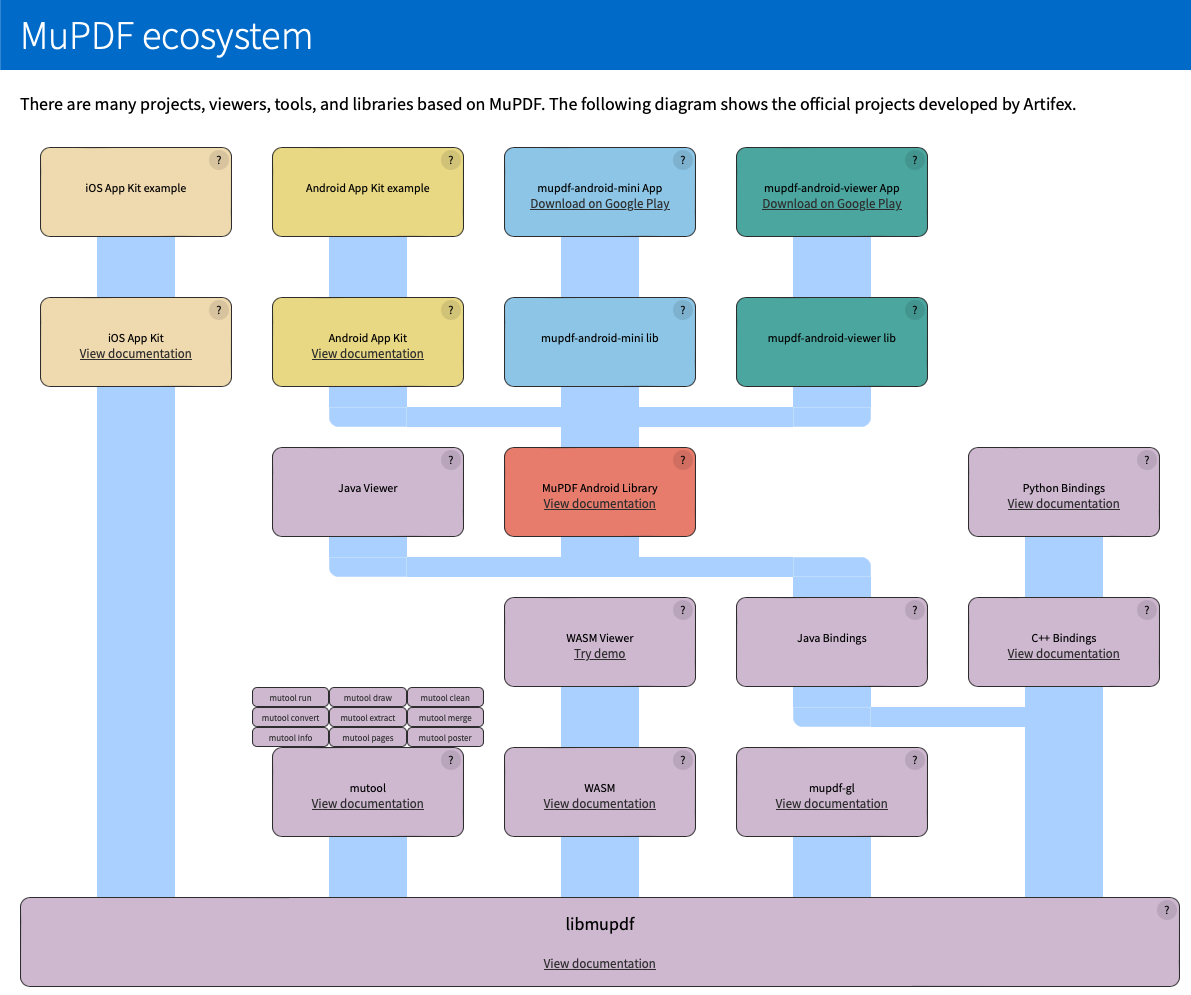
From: https://mupdf.com/product/ecosystem.html
- mupdf-android-mini lib and app
The “MuPDF mini” app that is on Google Play. This basic viewer is designed to be a tutorial and example for how to create an Android app from scratch using the MuPDF library. It can also be used as-is to provide an Activity that can be used to display PDF files in other Android apps. - mupdf-android-viewer lib and app
The “MuPDF viewer” app that is on Google Play. This viewer has a more polished UI, but as a result is a lot more complicated and difficult to customize and learn from.
This somehow still didn’t satisfy me, so here’s what I noted as an end-user:
- The “mini” version shows the filename, search icon and fullscreen icon (and TOC if the doc supports it) on the top bar
- fullscreen button is broken
- The “viewer” version doesn’t show the filename; instead, it shows a “link” button that toggles locking the view in place, and search + TOC when supported. Also, flipping between pages has an animation (slide-in) instead of immediately showing the next page.
- Both versions open up the PDFs in individual Android activities, so you could have many documents open at once.
Since I like to know what document I’m actually looking at, the “mini” app seems preferable.