Talking about:
TrackerControl reports 3 ugly google trackers, the same when installed app via Aurora Store.
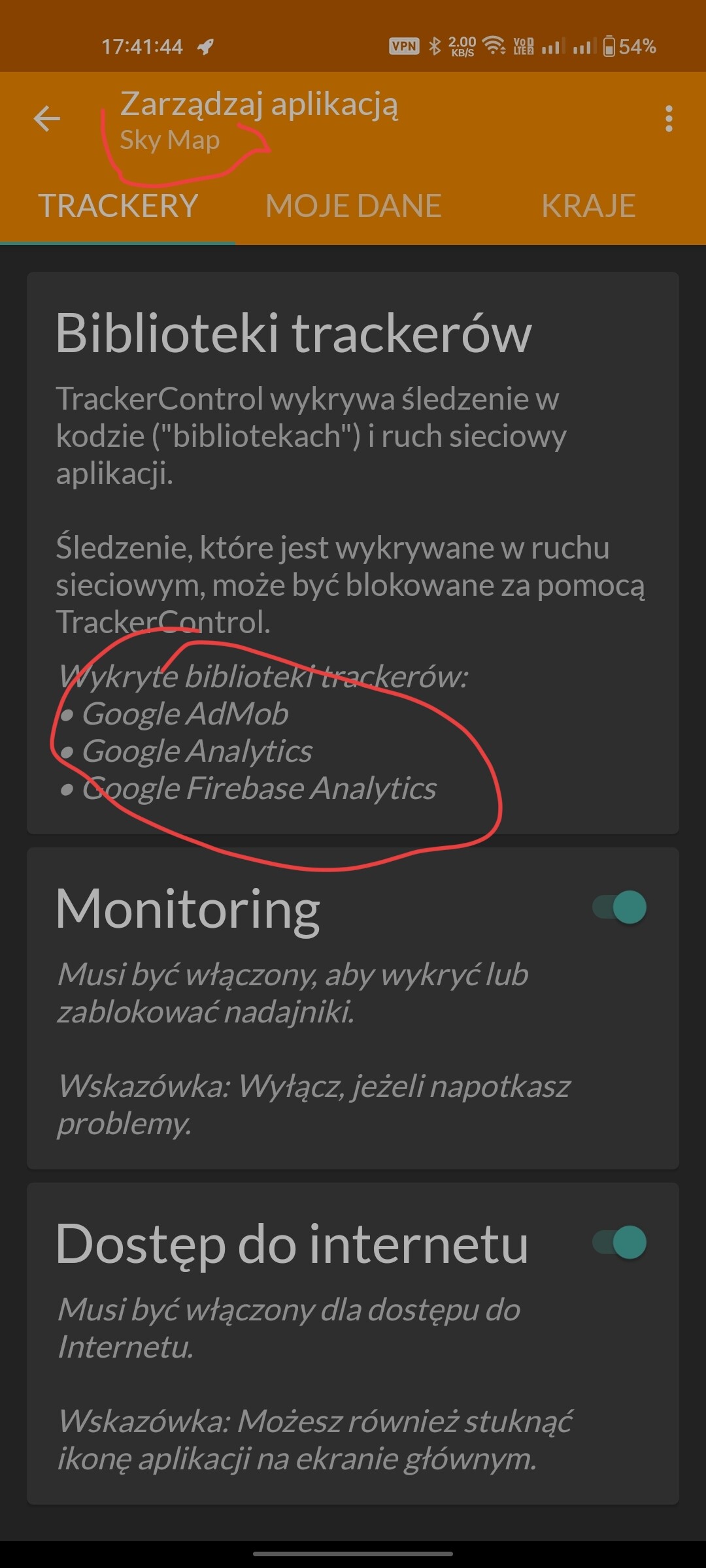
WHY?
Talking about:
TrackerControl reports 3 ugly google trackers, the same when installed app via Aurora Store.
WHY?
it is a false positive.
the Play version has them, but the F-Droid version just has stubs:
How can I differ real from false then, when checking app myself? I’m not a coder, just usual user.
You look at source code, the stub/fake functions are just the name and they are empty inside.
As I said: im not a coder…
I’m sure there are no apps on F-Droid which contain trackers. TrackerControl is for Play Store apps where there is no F-Droid alternative.
This is false.
Anti-Features | F-Droid - Free and Open Source Android App Repository → https://monitor.f-droid.org/anti-feature/Tracking
Sorry, I should have said there re no apps with undeclared trackers, my omission. So read the blurb before you install.
With other app sources there is no real good way to tell for a casual user.
With F-Droid on the other hand just look out for the tracking anti feature as that usually gives you a good idea.
It is important to note just like the documentation posted above implies
Apps can have tracking code in them and not be flagged with the tracking anti feature.
Like for example the NextDNS Manager app has sentry trackers in them but is not flagged.
This is because AFAIK the tracking anti feature is only applied to apps who have potentially undesirable implementations of tracking the user whether intentional or not.
Unintentional would be largely attributed to apps like the Aurora Store for example where the app itself doesn’t really track you but the services it connects to (in this case the Google Play Store) can and probably will albeit to a more limited extent than the Google Play Store itself normally could
Intentional would be more so attributed to apps that track the user without properly informing them first or having tracking on by default with no immediate clear way to opt out.
The obvious problem being with both of these scenarios that the user is not very well informed inside of the app with no way to opt out (in regards to Aurora Store you literally can’t as it shouldn’t come as a suprise but they can’t kindly ask Google not to track you lol.) hence why the anti feature is applied there.
This is why NextDNS Manager doesn’t get flagged is because the sentry trackers in it are strictly opt out by default. Like you have to go into the settings and opt into being tracked it doesn’t track you by default.
So to summarize basically
Always look for the tracking anti feature if a app doesn’t have it they will either likely have no trackers at all or have a very user friendly implementation as in one that informs you itself and allows you to quickly and easily opt out or one that is opt out by default that you strictly have to opt into or a tracker that has to be manually operated by the user to actually send any data in the first place.
It’s important to remember that tracking isn’t inherently bad it’s actually a very good way for app developers to improve their app thanks to all the analytical data which is why I like the fact this isn’t applied to all apps with tracking code. Only the ones where it is necessary due to the app not properly informing the user and the data collection is automatic. Hope this helps!
The last NextDNS version which was connecting to sentry was 5.0.4. Tha later versions which are hosted on guthub does not have this anti-feature and are not tagged as well.
This topic was automatically closed 60 days after the last reply. New replies are no longer allowed.