Sure why not. I believe I can try for sure.
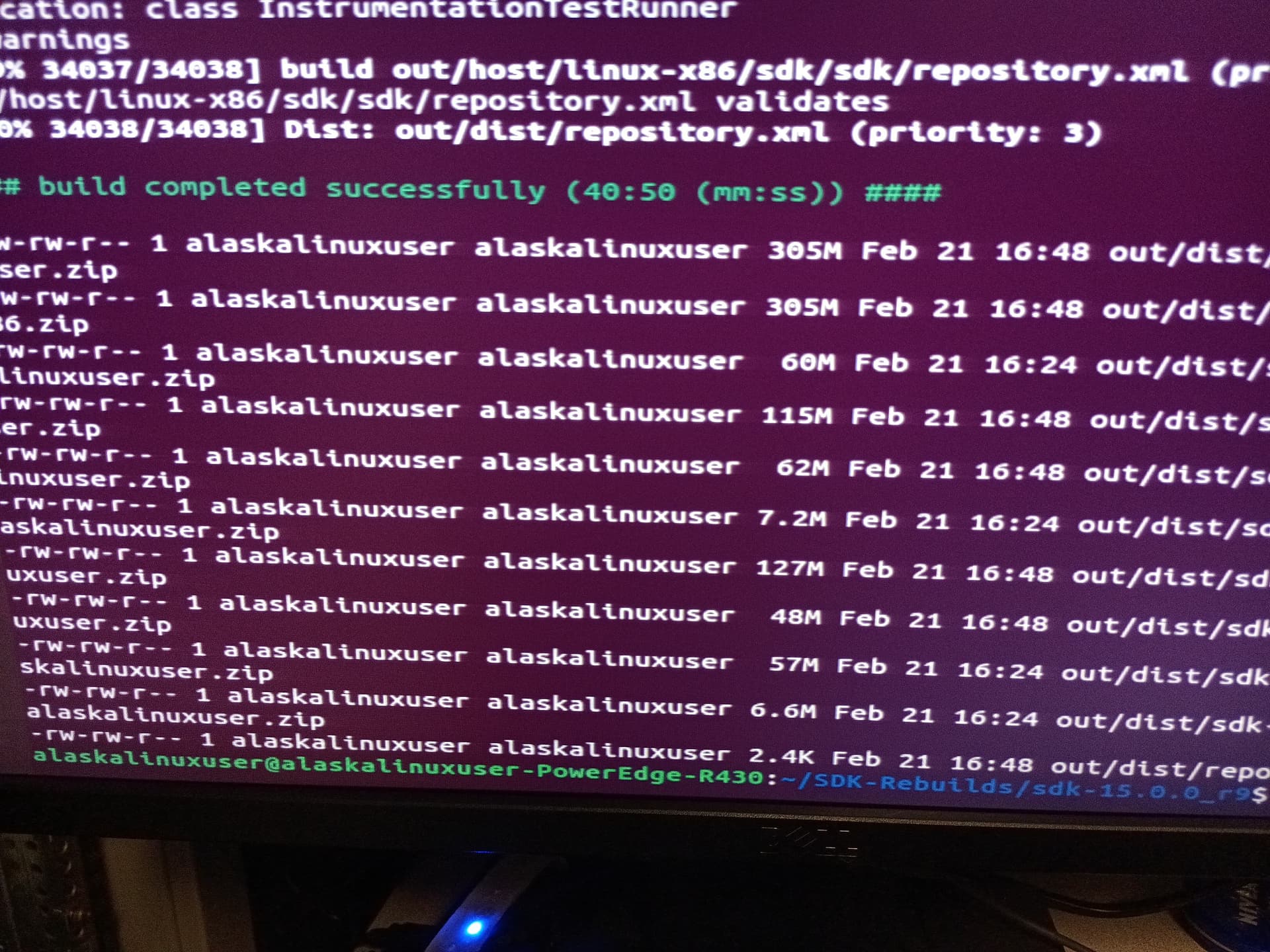
Built 15.0.0_r9 this afternoon. I will have to get with you on uploading to you, etc.
Got a busy weekend ahead, but Monday I plan to build 14, 13, 12, so on and so forth. Takes about 40 minutes for the build time, but it takes a long time to download source on my slow internet.
I also recommend someone test it. I can test the Linux platform tools, but not currently building an app, so not sure about the rest of the SDK.
I also plan to try building the android studio open source variant.
Nice. Where are you hosting the code? It needs a home too I guess.
Also, I can probably create a user for you to access and upload to my host, not sure if I want to give anyone outside an access even in binding. BTW, what is the size and format of these?
Local server. I ended up repurposing an old Dell R430 server that I wasn’t using. It had 128gb of ram and seemed like a good fit for the task.
The size, about 300mb for the SDK, and about 60mb for the platform tools for each OS. Looks like all 11 files are a total of 1 GB for all of them. Though I think that all may not be needed, two of them are duplicates renamed for the sake of naming convention.
We should PM/DM each other for that info, but in general, I’d rather host the files for you to download, then you can host them how you want for the general public.
Sure. But as I said the source code too should be public. I have my own git (forgejo) as well. Would be happy to host that too.
BTW, woah on 128GB RAM. Are you sure it is not 128MB. 
Lol, nope, very sure on GB of ram. 
Actually, if I got some ssd it would really fly. It took 40 minutes to build because of the slow hard drive disks.
As for hosting the code, that’s good too, but, isn’t it already publically hosted, both the scripts to build and the google source code for aosp?
All of the source code is over 128gb of code, that’s a lot to re-host, isn’t it? 
Though, I’m not very bright, I might be missing something… 
Honestly, since you were building it, I did not bother to look at the code size and all. So yeah that is off now (128gb will kill it for me). I can surely host the resulting builds. Let us connect over dm.
I’ve built Starfish android14 in a 29Gb RAM VM fyi
The highest RAM I have is 16GB, even over my root server. lols
We have 15.0.0 built, and as of this morning, 12.0.0 built. Are there any app developers that would like to test using this SDK? Perhaps someone with an app they already built with the Google Android SDK files, who could drop in one of these Apache2.0 SDK files to prove they work?
And here is proof that the current Android SDK is in fact licensed as Apache 2.0 if built from source:
"Subject: How to build an Android SDK & ADT Eclipse plugin.
Date: 2009/03/27
Updated: 2015/09/09
Table of content:
0- License
1- Foreword
2- Building an SDK for MacOS and Linux
3- Building an SDK for Windows
4- Building an ADT plugin for Eclipse
5- Conclusion
0- License
Copyright (C) 2009 The Android Open Source Project
Licensed under the Apache License, Version 2.0 (the “License”);
you may not use this file except in compliance with the License.
You may obtain a copy of the License at
Apache License, Version 2.0 | Apache Software Foundation
Unless required by applicable law or agreed to in writing, software
distributed under the License is distributed on an “AS IS” BASIS,
WITHOUT WARRANTIES OR CONDITIONS OF ANY KIND, either express or implied.
See the License for the specific language governing permissions and
limitations under the License."
However, if you get the Google download, it apparently can have extra Google binaries or source in it, per the license that Google makes you accept to use their pre-built SDK:
"SDK License from Google
3.1 Subject to the terms of this License Agreement, Google grants you a limited, worldwide, royalty-free, non-assignable and non-exclusive license to use the SDK solely to develop applications to run on the Android platform.
3.2 You agree that Google or third parties own all legal right, title and interest in and to the SDK, including any Intellectual Property Rights that subsist in the SDK. “Intellectual Property Rights” means any and all rights under patent law, copyright law, trade secret law, trademark law, and any and all other proprietary rights. Google reserves all rights not expressly granted to you.
3.3 You may not use the SDK for any purpose not expressly permitted by this License Agreement. Except to the extent required by applicable third party licenses, you may not: (a) copy (except for backup purposes), modify, adapt, redistribute, decompile, reverse engineer, disassemble, or create derivative works of the SDK or any part of the SDK; or (b) load any part of the SDK onto a mobile handset or any other hardware device except a personal computer, combine any part of the SDK with other software, or distribute any software or device incorporating a part of the SDK."
So, next steps are:
- Continue to build the rest of the Android SDKs (15 and 12.0 are done. Need to build 12.1, 13, and 14).
- Test these Apache 2.0 Android SDKs to make sure they work.
- Test the extra tools, like the platform tools (have tested the Linux platform tools, need a Windows tester).
- make the files readily available (which @vdbhb59 has graciously agreed to do).
- Foss it up by letting people know and getting developers using them instead of Google’s download.
Then, the same is true for the Apache 2.0 version of Android Studio. We need the SDK first, then the Studio, since:
a. The SDK can be used in Android Studio
b. The SDK can be used by other build environments.
My internet is very slow, so it takes me about an 8 hour day to fetch the correct branch of the source. Build time for the Android SDK has been about 40 minutes, so by next week, we should have all of the modern Android SDKs built, then we can attempt to either build older Android SDKs or work on the Android Studio.
The plus side of building the older Android SDKs is that they will never change after being built, so one build is sufficient. (Correct me if I’m wrong, but the source code of Android 8 through 11 is not going to change significantly in regards to the SDK.) Not sure if we can build pre-Oreo, and not sure if it will have any use case, but I can check.
13.0.0 is built and uploaded, 12.1 is built, and upload is in progress. 14.0.0 has an error in the download of the repo, some of the repo source says it is not available, so I am investigating alternative download locations, or if using the fallback branch option is appropriate while still producing a good build.
Edit:
Since I can’t post a third reply in a thread, I am just editing this one.
Android SDK 12, 12.1, 13, 14, and 15 are all built and ready for testing.
Android Studio 3.0 is built and ready for testing.
Android Studio 4.0 seems to require Google’s proprietary blobs in it to build, so I am still reviewing that.
So, if anybody wants to test this, please message me, and I, or @vdbhb59 can get you links for testing.
Hello everyone,
I hope you’re all having a great day. I’m seeking advice on developing Android apps completely free from Google’s ecosystem.
My Challenge
I have many ideas and time to work on them, but I’m struggling to find development tools that aren’t tied to Google’s licenses. My experiences so far:
- I tried using the SDK and NDK alternatives (like Mr. Beuc’s version)
- Unfortunately, my PC lacks the processing power to handle these larger codebases
- The requirement to switch from Arch Linux to Debian just for SDK compatibility is inconvenient
- I’ve been unable to locate a suitable NDK alternative
My Question
How are F-Droid apps developed without Google dependencies? I feel discouraged by these obstacles but remain determined to create my own apps without any Google components.
Would anyone be willing to share their workflow or point me toward resources for truly Google-free Android development?
Thank you for any guidance you can provide!
Lots of great questions in this topic.
First, though, have you read this thread about open source android development tools?
In which we just built an apache2.0 version of Android Studio and the Android SDK. We are still working on the builds for the NDK (if possible) the emulator, and a few other parts/pieces.
However, with the SDK we just built, you can use open source tools like Eclipse to build your Android apps with a graphical IDE. Of course, you can always build them from the command line, too.
Hope that helps.
P.S. if you would like to test drive our Apache2.0 Android Studio or the SDK (Same as Mr.Beuc’s*, though already built for you), please let me know.
*Except 14.0, which we built 14.0.0_r3, since Beuc’s 14.0.0_r18 was not buildable.
Good to see people talking about this again. You might find some useful pointers in my post on this: Legal advice: avoiding the Google EULA? it didn’t get much replies, I guess I made a too big wall of text.
The two most important things to note is:
- When using “repo” to download the sources for a SDK, it also downloads a large number of “prebuilt” repositories, many containing a “NOTICE” file with the EULA. I believe this is also affecting both Starfish and Beuc’s Android Rebuilds, but no one seems to have noticed it.
- A working script (actually PKGBUILD) to build the SDK with all the “prebuilt” downloads removed can be found here: SDK - Replicant Especially notice the “sed” line which removes the “prebuilt” repos.
Slinger,
Great point. In the builds I just made, there are several prebuilts, but all from the AOSP Apache2.0 source trees. So even if it is prebuilt, I was under the impression if it comes from the Apache2.0 AOSP source tree, it has to be open source.
What is not present in these, such as for Android Studio, is the proprietary vendor source from Google ,which is not part of the AOSP tree.
Also, when the SDK and Android Studio build is complete, it comes with an Apache2.0 license, leading me to believe it is actually Apache2.0, open sourced.
Am I mistaken? (I ask in earnest, not as a defense mechanism. I want it to be as pure as possible.)
For instance ,in the linked article, they say:
"Android repository includes over 187 binary dependencies, such as Go and Rust, in the prebuilt repository, that are downloaded using the repo tool. "
So, taking on Rust directly, for the 14.0.0_r3 build I just made:
It lists the rust prebuilt binary as MIT and Apache2.0, which is entirely open source, is it not?
So, yes, we could build every tool from scratch, to be 100% sure, but some tools we just accept their already open source license, don’t we?
Again, I ask in earnest. And if you show me a prebuilt that does have an EULA, please let me know.
I completely understand your question and am in no way offended. Actually I’m happy to talk! I got almost no reply in my old topic, so I was worried of writing another wall of text.
Those prebuilt binaries are a concern, but I am talking about something else: if you look at the big tree of sources for the SDK that repo downloaded for you, you will find a directory called “prebuilts”. In this, some downloaded repos contain a file called “NOTICE” containing the EULA. For example, have a look at:
- prebuilts/sdk/NOTICE
- prebuilts/tools/common/api-versions/NOTICE
If you search through them you will find, for example the “3. SDK License from Google” section. Which contains the point 3.3 (imposing usage restrictions) and more, the same wording as the EULA noticed by Beuc back in the day (Rebuilding Android proprietary SDK binaries).
And yes, that prebuilts/sdk does contain (almost) an entire prebuilt SDK, that gets downloaded as part of the so-called source of the SDK. It seems to have the same NOTICE file going back a long time. I see it in the most recent version, in the old 11.0.0_r27 version (which I ironically obtained following beuc’s build scripts) and far older versions as well.
But the good news is that the work by the replicant people shows it’s actually possible to remove all “prebuilts” repositories (from .repo/manifests/default.xml) and get them all rebuilt from source. And I have not found this legalese anywhere outside the prebuilts repositories.
I’m personally very interested in the NDK. And there things are… both better and worse. Or at least stranger. The NDK sources (obtained by repo similar to the SDK) contains no such legalese as the SDK. Yay! Perhaps because it’s mostly redistributing existing work (like clang). However, the NDK prebuilts directory contains the entire NDK, and “building” it simply just repackages the files. I am not sure if the same trick of removing the prebuilts will work in this case, or if there’s something circular going on. I have not dared to try it yet.
edit: in case you want to look at the exact git repo from which the sdk prebuilt is fetched from: platform/prebuilts/sdk - Git at Google
Excellent find…
I am on the mobile at the moment, but will look at this on the big screen later.
Up until this, the other prebuilt packages I checked were apache or MIT, so I didn’t see the issue. Now I can look at these ones and see if there is a different license and EULA.
Thanks for digging deeper. Let’s see if we can’t do better.
Great to see this effect gaining steam @alaskalinuxuser @vdbhb59 @Slinger !
When I last looked, the NDK is maintained as a standalone project, so it should be easy to rebuild in comparison to the SDK or Android Studio.
I really want to see this succeed. Feel free to ping me if you get blocked, and think I can help. For example, I would be happy to help you apply for funding to work for this under NLnet; NGI Mobifree (Its much easier if you are an EU resident, but still possible to get if not).