I know that LineageOS and /e/OS do not support other models than this “klte”: G900AZ/F/M/R4/R7/T/V/W8 + S902L.
That’s my device informations:
 adb shell getprop ro.product.device
 klte
 adb shell getprop ro.product.model
 SM-G900F
 adb shell getprop ro.product.name
 lineage_klte
Yes, my SM-G900F “klte” boots now, but - divested-16.0-20200724-dos-klte-recovery is not working.
Divested-Recovery. I have tried six different variations of the installation. Starting point was TWRP 3.3.1-0.
-
the file “divested-16.0-20200724-dos-klte-recovery.img” was installed via TWRP and immediately booted into the recovery again.
-
ditto, - but battery removed, then tried to start the recovery by key combination.
-
the file “divested-16.0-20200724-dos-klte-recovery.img” was installed via TWRP and immediately booted into the system.
-
ditto, - - but battery removed, then tried to start the system by pressing the POWER key.
-
odin 3 (with uncheck auto-reboot) flashed the converted file “divested-16.0-20200724-dos-klte-recovery.img.tar”, removed the battery, then started the “klte” into the recovery.
-
the converted file “divested-16.0-20200724-dos-klte-recovery.img.tar” was flashed via Odin 3 (incl. auto-reboot), the battery was removed, and the “klte” rebooted into the system immediately.
1.-6. each time the identical result: Divested-Recovery was not installed. DivestOS Mobile did not start any more, i.e. in an endless boot loop the following order was displayed:
RECOVERY BOTTING… (blue font color)
Set Warranty Bit : recovery (yellow font color)
Samsung GALAXY S5 (white font color on black background)
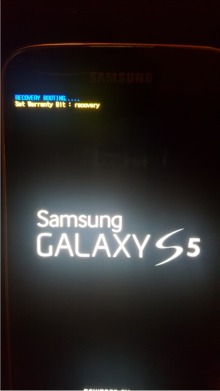
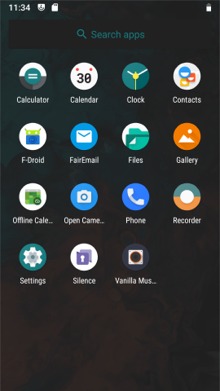
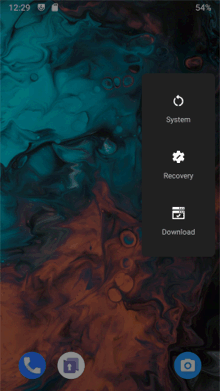
With the installation of Divested-Recovery the DivestOS was paralyzed at the same time. As soon as I flashed TWRP 3.3.1-0.img.tar with Odin 3, no matter if with no battery removal, TWRP Rocovery started properly and also(!) DivestOS divested-16.0-20200510-dos-klte booted correctly.
The very first boot process showed a text based error message for less than two seconds in the lower left corner. It went too fast, on the other hand I was surprised and could only read: “A error has occurred … javascrpt”
This error message became fully visible twice more with the first homescreen. Again it went too fast to hold on to. But it must have been at least six to eight test lines. Any reproduction was not possible. I couldn’t take a picture until now. although I turned the S5 on and off several times.